


Let's Meet!
- May 4, 2017
- 2 min read
After playing around with Firebase for a few days, I realized it was not the correct tool for my project. So, I took a different approach to get authentication to the Gmail server. My first goal was to be able to send an email from eclipse through my sortingalgorithms1@gmail.com account to my personal email.
First I had to implement the JavaMail API (Application Program Interface), which provides a framework to build mail applications. An API is an interface that a developer can implement and can use features from that interface in a project. To implement the JavaMail API, I downloaded the latest version from the Oracle website and placed the files in a folder in my project in eclipse. It is important to have the correct class path; otherwise the program will have a run-time error. Then I had to add the library to my project and I was ready to use the API.
To actually send mail from my Java project to any email account, I had to reach a SMTP (Simple Mail Transfer Protocol) server which would then relay with the Google server. An SMTP server is the server that passes mail hardcoded in Java to another SMTP server, the Google one, which will then send it to the final destination.
How my program works?
The program is divided into two parts, sending an email and reading an email. Sending an email works over the SMTP server. I imported the necessary statements from the JavaMail API. For example, the import javax.mail.PasswordAuthentication; statement allowed me to check whether the username and password from the client account is valid. After getting the authentication, I created an instance of properties class, which allowed me to access the correct port on the Gmail SMTP server. Then I created a new instance of a message class and constructed a message using statements such as message.setSubject("Manpreet's Senior Project");
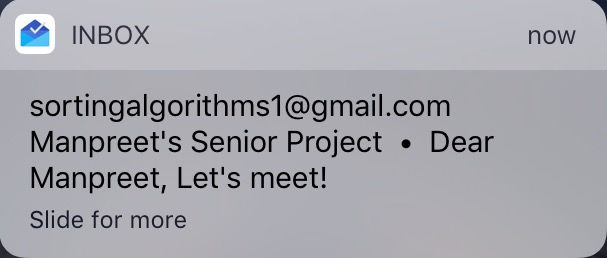
This part of my program will be used after the reading part extracts a task. The task will then be saved and a notification like above will be sent in a reminders folder. The reminders folder will have features that will allow users to manipulate the name of the task and time of task. Next week I will explain how the reading part of the program works.
Thank you for reading!
Comments